
Render Upgrade · Photorealistic 3D rendering
You modelled it.
Let it look real.
Photorealistic 3D rendering from the render you already have. Turn any interior render into a photorealistic image — a clay pass, a quick draft, or a render that's already finished and still looks flat. The geometry, camera and layout you built stay exactly where you put them.
4 credits included · no credit card · nothing to install
Try it with your own render.
Upload a basic render of your space and see what a photorealistic upgrade looks like — same perspective, coherent materials, real light.
Flat in, real out
Two real runs. In both cases the output keeps the same room, the same camera and the same furniture placement — what changed is the lighting, the materials and the finish.
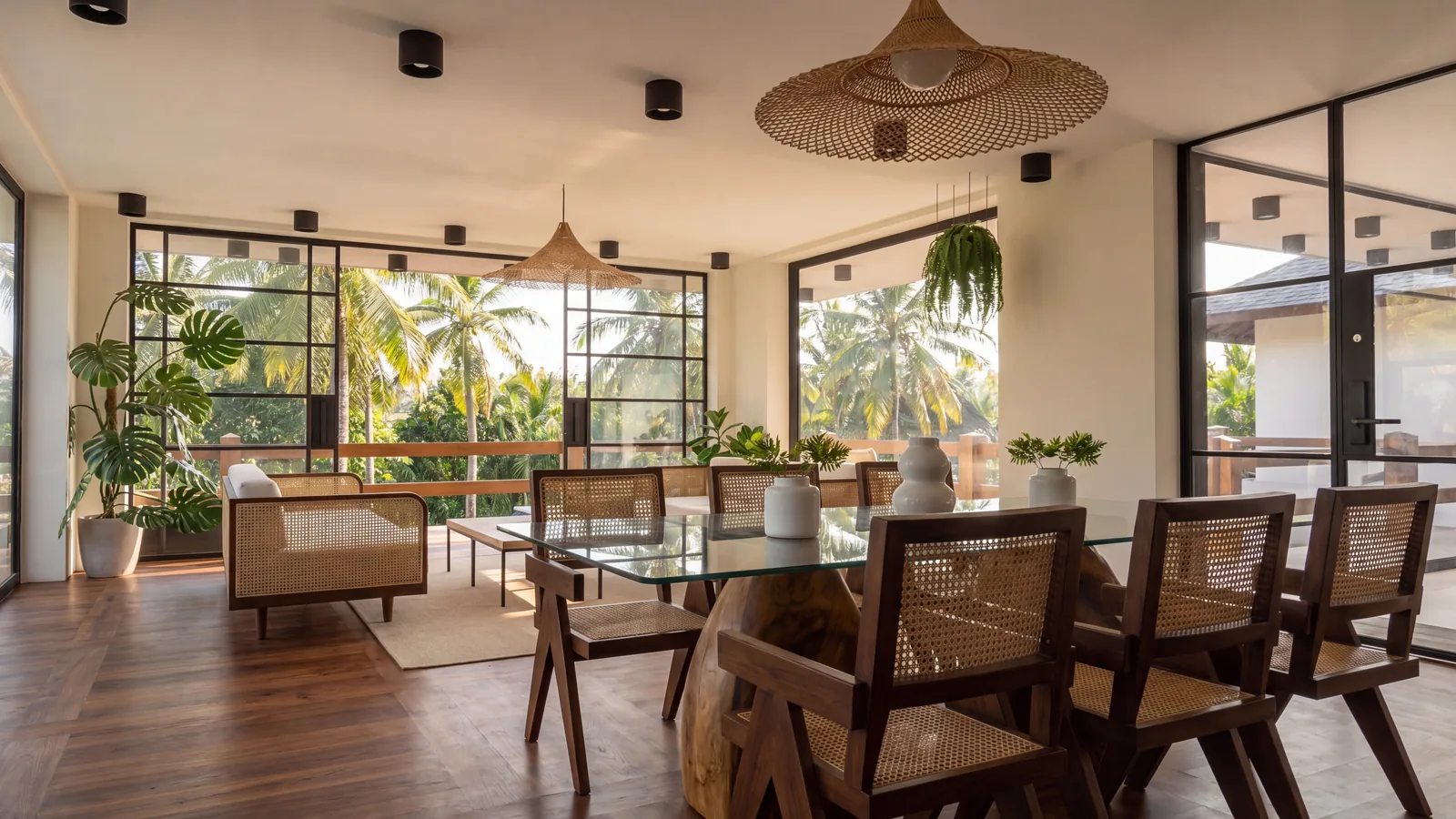
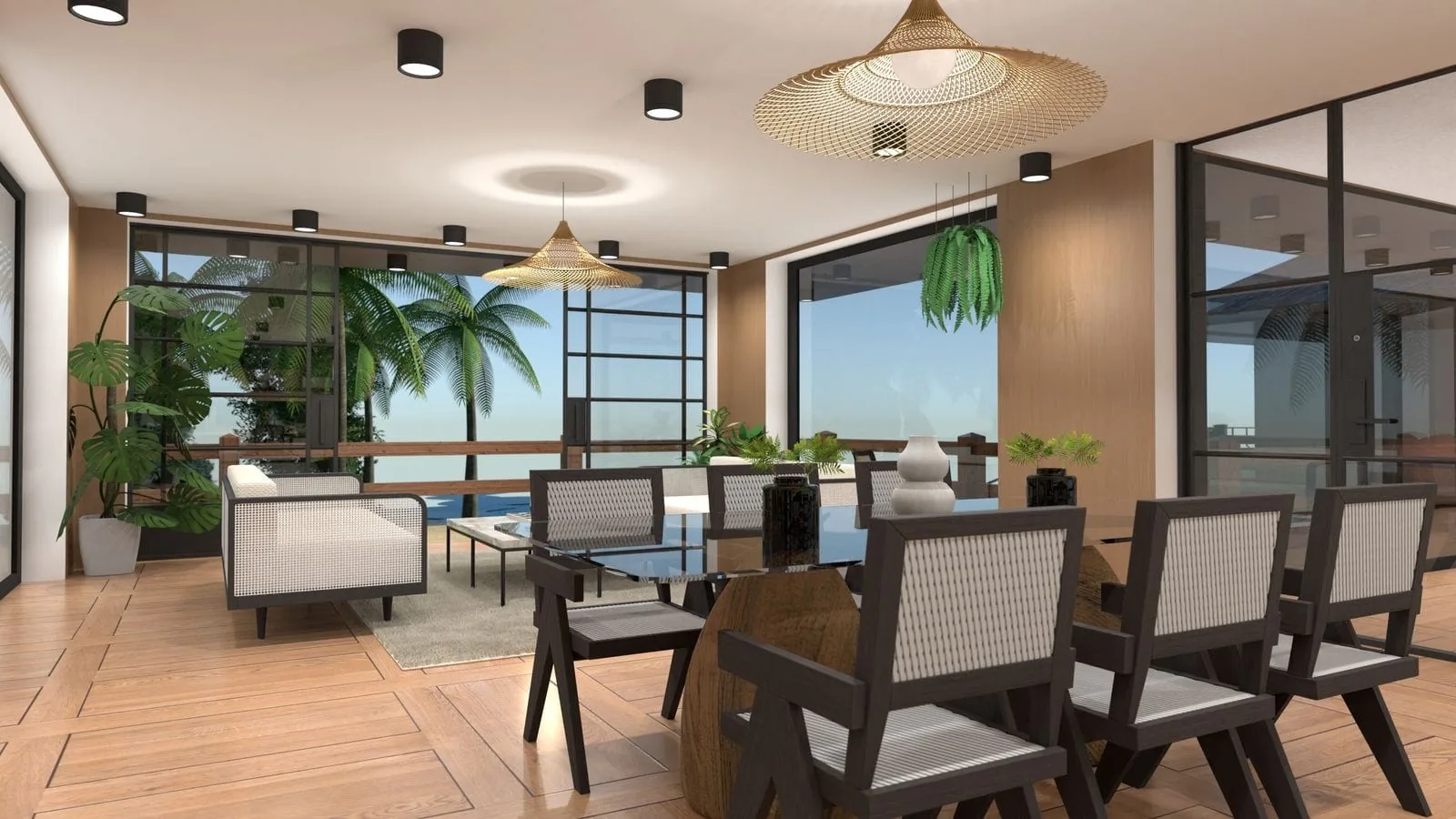
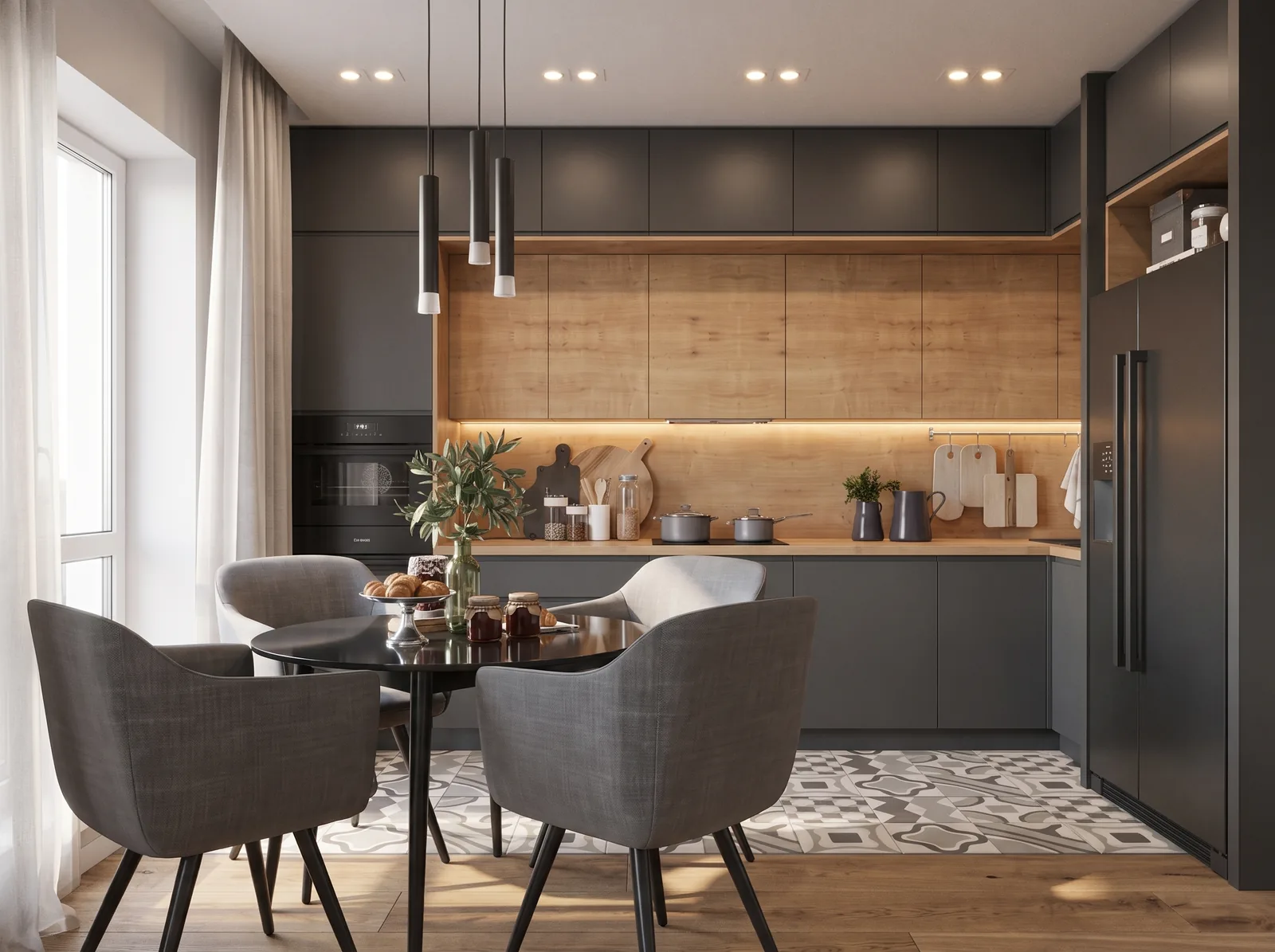
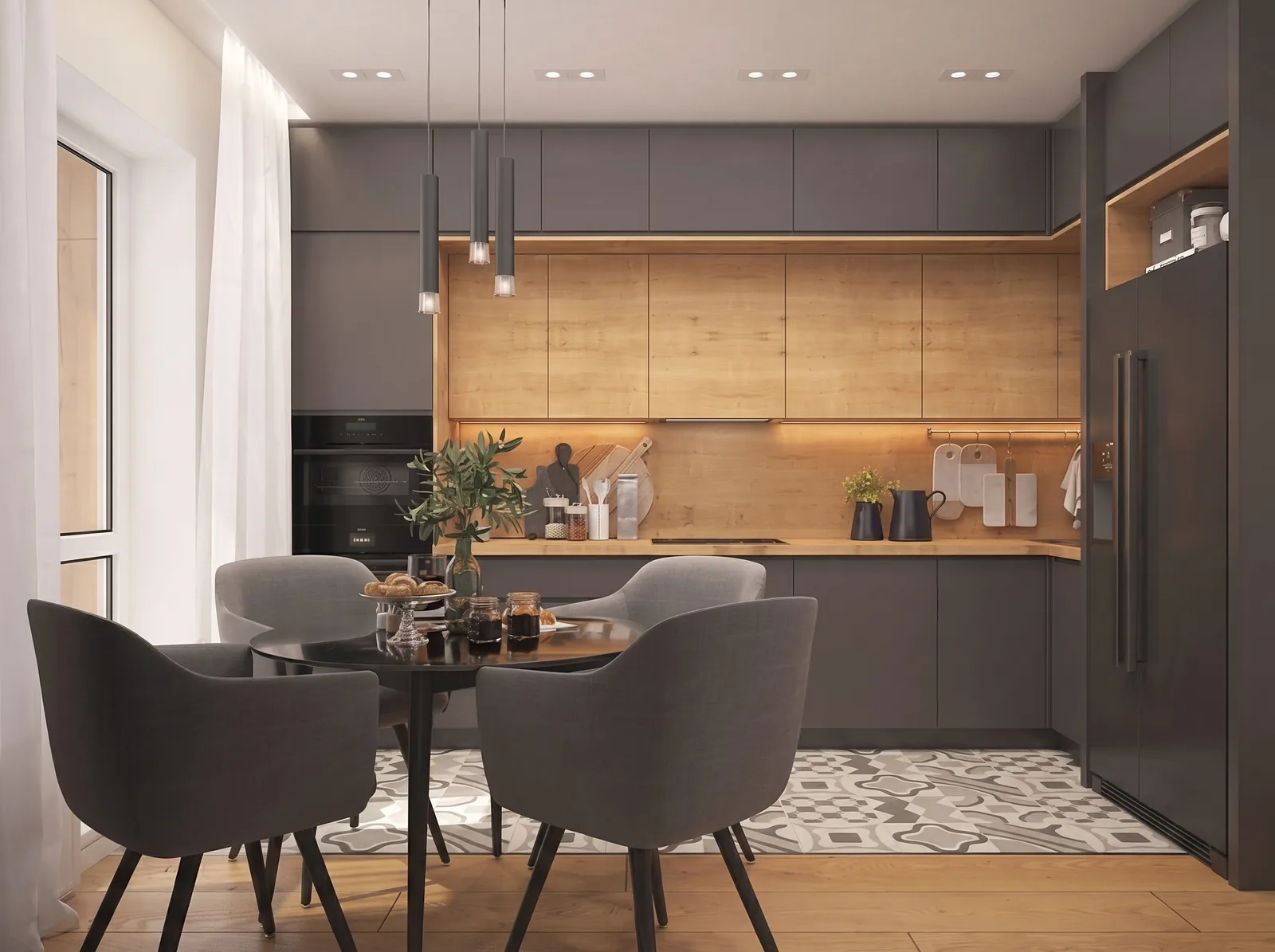
Drag the divider and watch the window frames and the furniture edges — they land in the same place. That's the part that matters: the model is preserved, not reinterpreted.
How it works
You upload an image, not a scene file. Whatever produced the render is irrelevant to the process.
Export whatever you already have
A clay pass, an ambient-occlusion pass, a flat viewport grab, a low-sample draft — or a render you already finished that still looks CGI. It does not need to be pretty; that's the point.
Upload it
3ds Max, SketchUp, Blender, Revit, Rhino, Lumion, Enscape, V-Ray, Corona — all the same, because it's a PNG or a JPG by the time it reaches us.
Get the finished frame back
Re-lit, re-textured, with reflections and depth of field, on the geometry you modelled. Costs 2 credits.
Upscale it if it's going to print
Run the result through Vizion Upscale for a 4K, 6K or 8K file. This is the common pairing: finish first, enlarge second.
Who this is for
The shared situation: the modelling is done and the render time isn't there.
Architects
You need one presentable interior view for a client meeting tomorrow, and getting the lighting and materials to look real is a day of work you don't have.
3D artists
You want to show a client three directions for a scene before committing GPU hours to a final render of the one they pick.
Students and small studios
You don't have a render farm. A clay pass takes minutes; a finished photorealistic pass takes all night on one machine.
Upgrading is not the same as upscaling
These get confused constantly, so to be explicit:
Render Upgrade — this page
Your render doesn't look real enough. It needs lighting, materials and finish. What it looks like changes. 2 credits.
Vizion Upscale →
Your render already looks right. It just needs to be bigger. What it looks like stays. 2–4 credits.
Questions
Will it keep the geometry I modelled?
Yes. It works from your rendered image and preserves the layout, camera angle and architecture in it. What changes is lighting, materials and finish — not the model you built.
Does it only work on clay or draft renders?
No. Clay passes, ambient-occlusion passes and flat viewport renders all work — but so does a render that's already finished and simply still looks flat or CGI-like. Anything that needs more realism is a valid input.
Which 3D software do you support?
All of them, because you upload an image rather than a scene file. 3ds Max, SketchUp, Blender, Revit, Rhino, Lumion, Enscape, V-Ray and Corona output all behave the same way.
How is this different from upscaling?
Upscaling makes an image bigger without changing how it looks. Render Upgrade changes how it looks — it takes a render that isn't convincing yet and makes it real. Running Upgrade first and Upscale second is the usual order for print.
What does it cost?
A free account includes 4 credits and no credit card. A Render Upgrade costs 2 credits, so the free account covers two of them. Paid plans start at $19/month for 40 credits.
What happens to my renders?
They're used only to produce your result. They are never used to train models and never shared with third parties, and you can delete any project from your account at any time. Full detail in the privacy policy.
Upload a render and see it turn real
Two upgrades fit inside the free credits — enough to judge it on your own scene rather than on ours.
Start free4 credits · no credit card