
SketchUp · Render Upgrade
SketchUp view in.
Photograph out.
Export the view the way you always do and upload the image. No plugin to buy, no render engine to learn, no version to match — and the geometry you modelled comes back untouched.
4 credits included · 2 credits a render · no credit card
What comes back
The SketchUp view stays the SketchUp view. Light, materials and finish are what change.
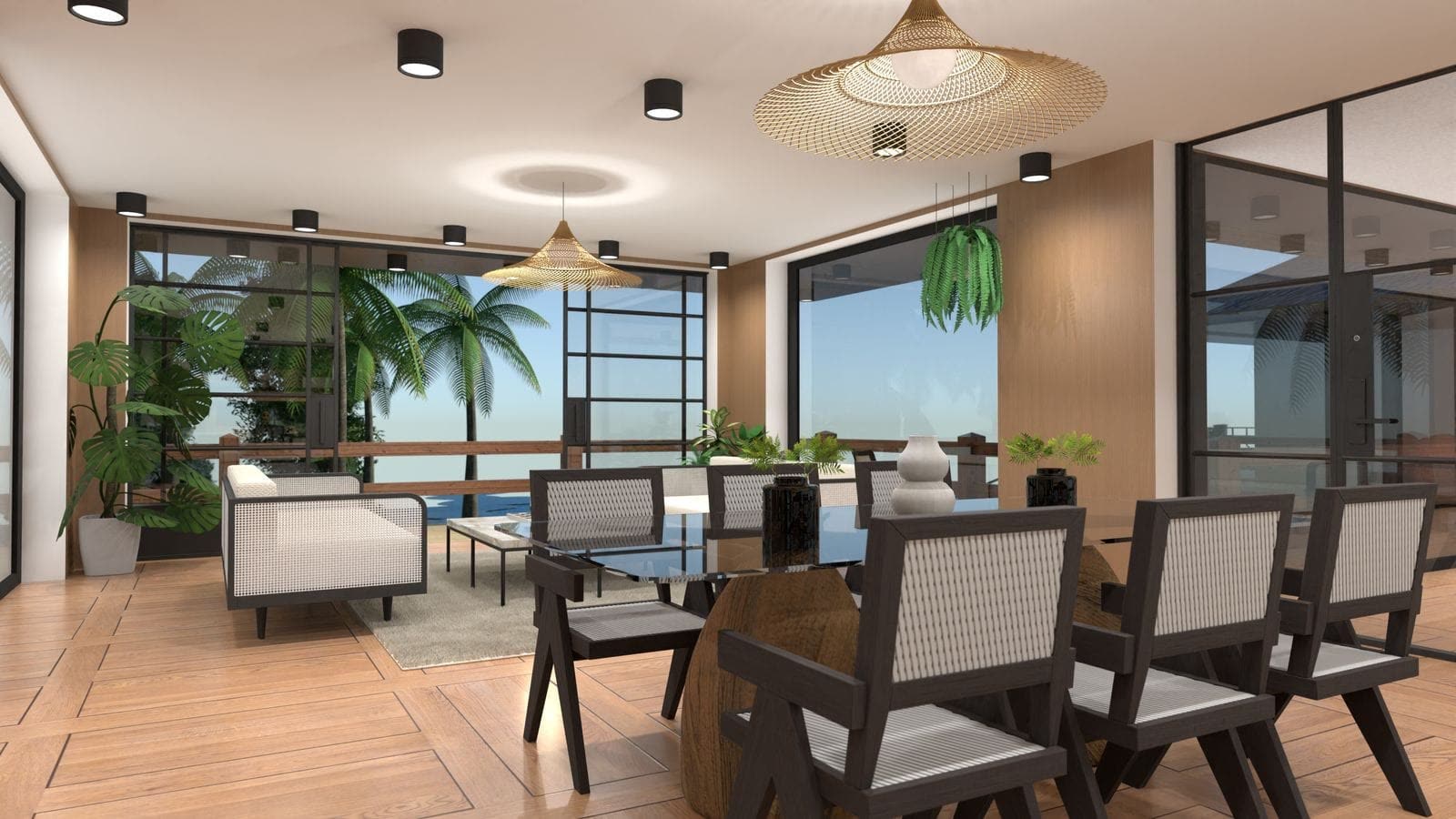
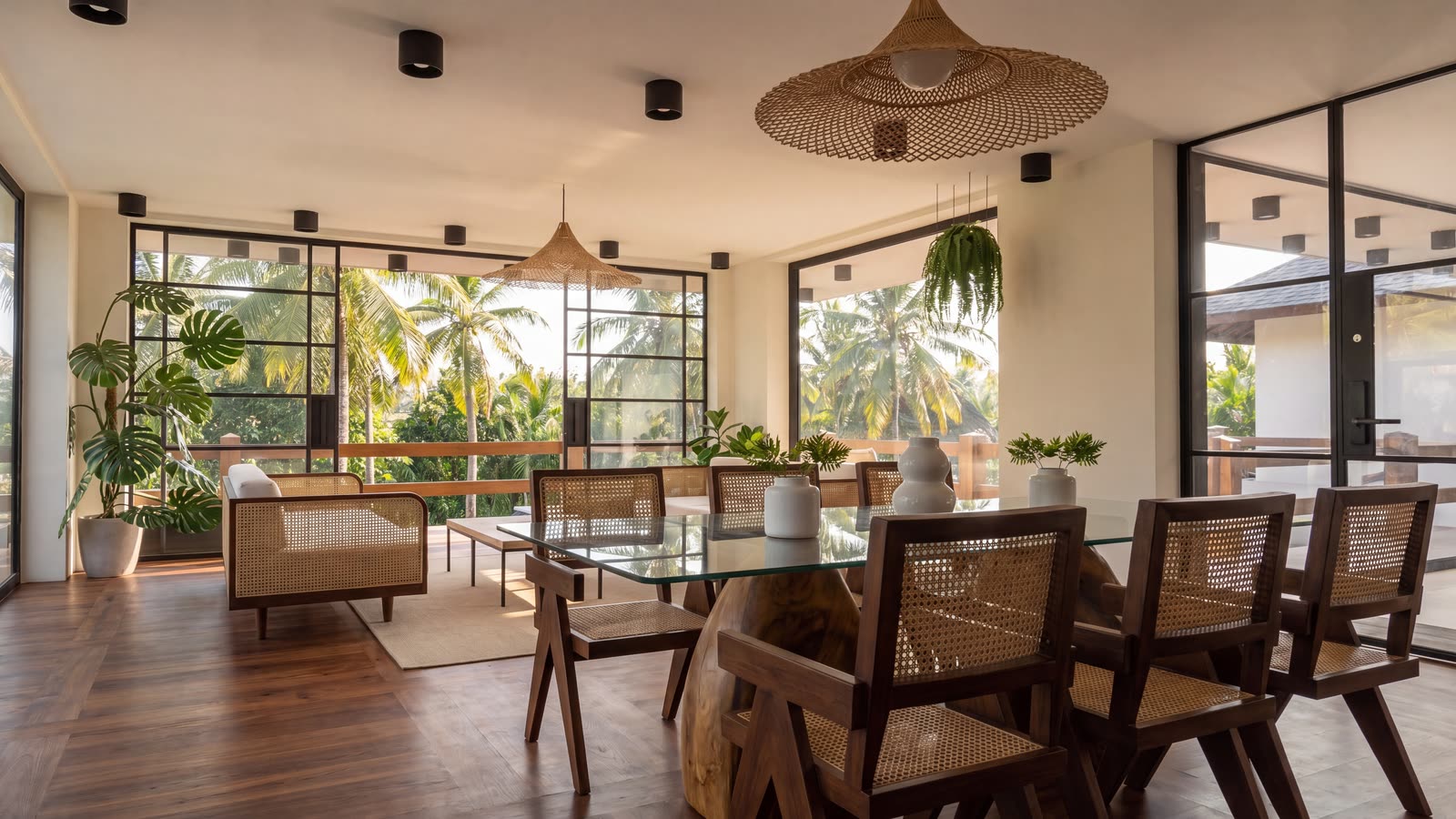
SketchUp is very good at getting a room built and famously blunt at making it look photographed. This closes that gap without adding a rendering workflow to your week.
How it works
Three steps, and none of them involve installing anything.
Set your view in SketchUp
Frame the shot the way you want it. The camera angle you choose is the camera angle you get back.
Export the view as an image
File, Export, 2D Graphic — or just a screenshot of the viewport. Whatever resolution comes out is fine.
Upload it and wait about 75 seconds
You upload an image, not the .skp. Nothing about your model leaves your machine.
Why not just install a render plugin
Plugins are the right answer for some people. They are a bad answer for a lot of others.
You render occasionally
A licence, a learning curve and a settings panel for the three images a month you actually need is a poor trade.
The machine is the bottleneck
A laptop that models happily will still spend an hour on one interior frame. This runs elsewhere and takes about 75 seconds.
You need it before the meeting
Test lighting, materials and mood on the frame you already have instead of committing GPU time to find out it was the wrong angle.
Not only SketchUp
Because you upload an image rather than a scene file, the source tool stops mattering.
3ds Max and Blender
A viewport grab or a draft pass from either one works the same way as a SketchUp export.
Revit and Rhino
Useful when the model is precise and the visual output is not the point of the software.
Lumion and other engines
Even a finished render that still reads as CGI is a valid starting point.
Questions
Do I need a SketchUp rendering plugin?
No. There is nothing to install and no licence to buy. You export a view as an image and upload that.
Do I upload my .skp file?
No. You upload an image exported from SketchUp, so there is no version matching and nothing about your model itself is sent.
Will my geometry and camera angle change?
No. The geometry, the camera angle and the layout stay as you set them in SketchUp. The lighting, materials and finish are what change.
Does it work with SketchUp Free or the web version?
Yes. Any version that can export or screenshot a view works, because the input is an image.
How long does it take?
About 75 seconds, measured on real jobs.
Is there a free option?
A free account includes 4 credits and requires no credit card. Each render costs 2 credits, so two are included.
Try it on a view you already exported
Free account, no card. Two renders finished before you decide anything.
Try it on a SketchUp view4 credits included · 2 credits a render · no credit card